
What is the On-page SEO in digital marketing?
Hey, friends, now I am going to explain some points like-
- What is on-page SEO?
- How do you think you could use it?
SEO stands for search engine optimisation, so in this process, we optimise our website and content so it can rank on search engine results pages. Basically, it is not a button; if you switch it on, your website will rank, and if you switch it off, your website will not rank. It is step- by -step-by-step process for ranking your page. It depends on you how you optimise your website, and it has a lot of things to learn, so we will try to cover the main points in on-page SEO
The main goal of SEO
Basically, SEO increases your organic (unpaid) traffic from search engines like Google, Bing, Yahoo, and SEO can increase both visibility and user experience, and because of your optimisation, your website becomes trustworthy
On-page Search Engine Optimisation
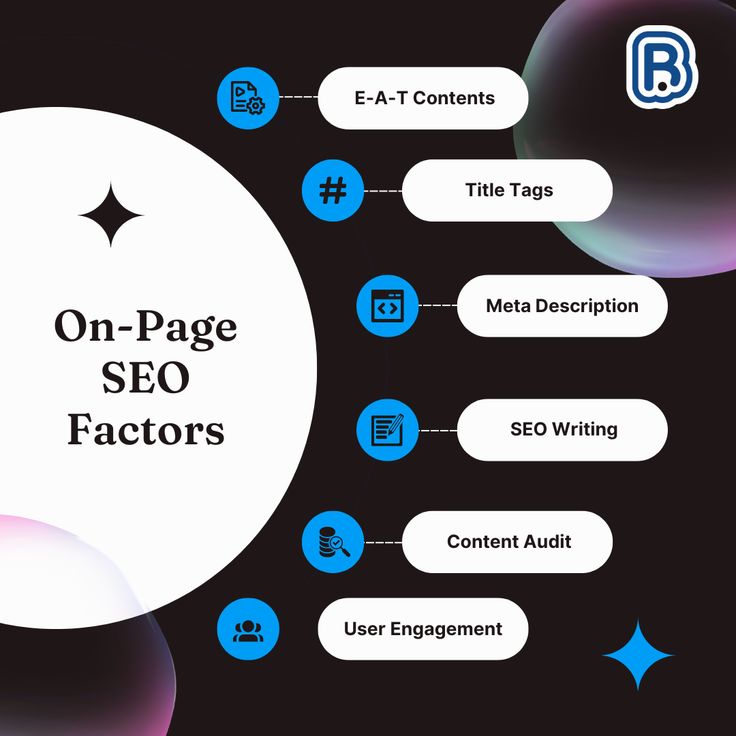
In this process, we do optimisation on our websites, including content, headings, keywords, meta tags, images, URLs, and internal links. In fact, if you do work on your blogs, articles and appearance of your website so it is called on-page SEO; whatever you are doing in inside your website is called on-page SEO
title tag optimisation (TTO)
it is a headline that shows in search results, it works as a keyword also, so this is also a part of on-page SEO because your title is the first impression of your website, so that’s why it should be in a creative and best way
How to make the best title
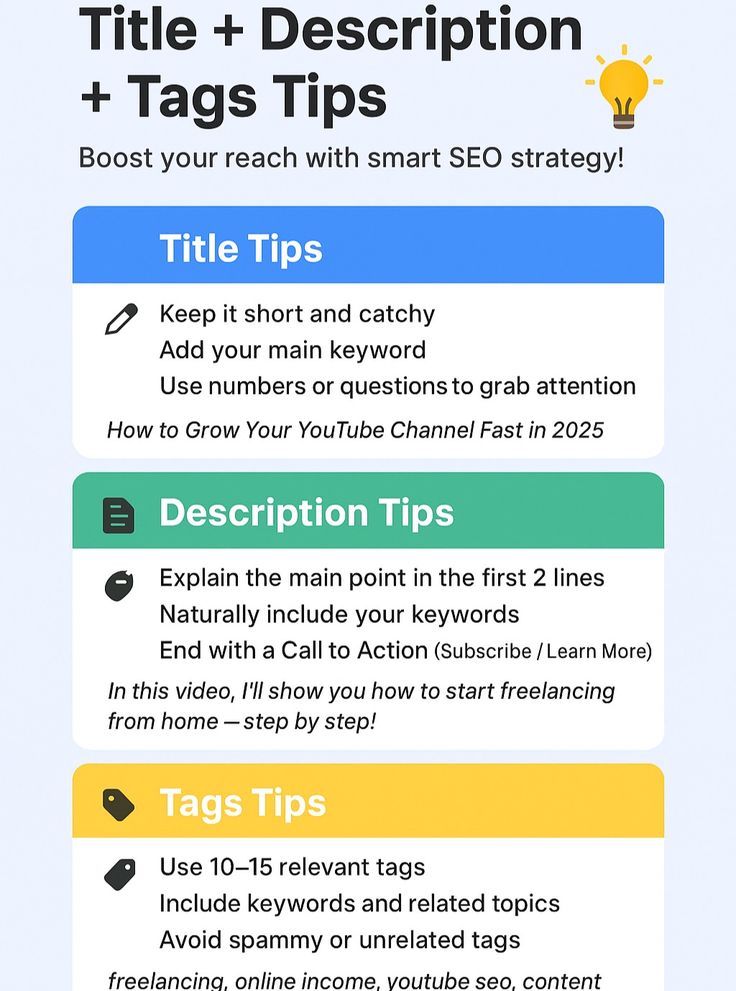
- Your title should be in 50-60 words, and also look matters
- Add your main and trending keywords according to your niche in the beginning
- It should be clear and meaningful, also because people need simple and normal language to read, that’s why we don’t use tough words and structures
Meta description
It is a small text that shows below your title in the browser. It shows your content to visitors, so because of this, you can give a description about your content, but your description should be the best and as simple as per your audience’s understanding, and you can add some highlighted words. Basically, it is written below your title, it looks like this
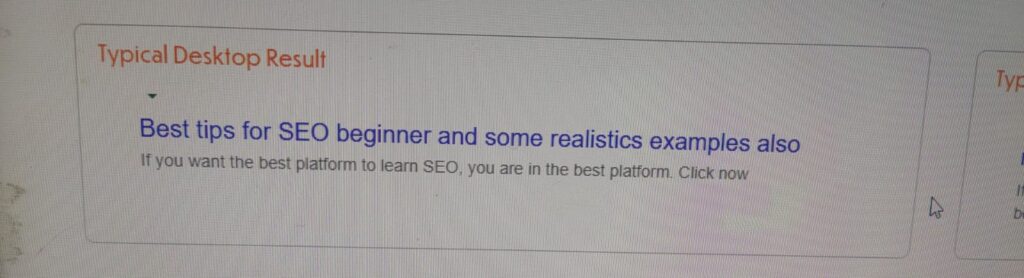
So you can see in this picture first one is your title, that highlighted in blue and below this blue line is your description, which is a short summary of your content. It shows the main content of your page on search engines, so because of your meta description, users will get knowledge about your page. A well-written meta description can increase your CTR ( Click-through-rate), which helps to improve SEO
Example:
Learn simple and effective digital marketing tips for beginners. We will guide in sequence
URL structures
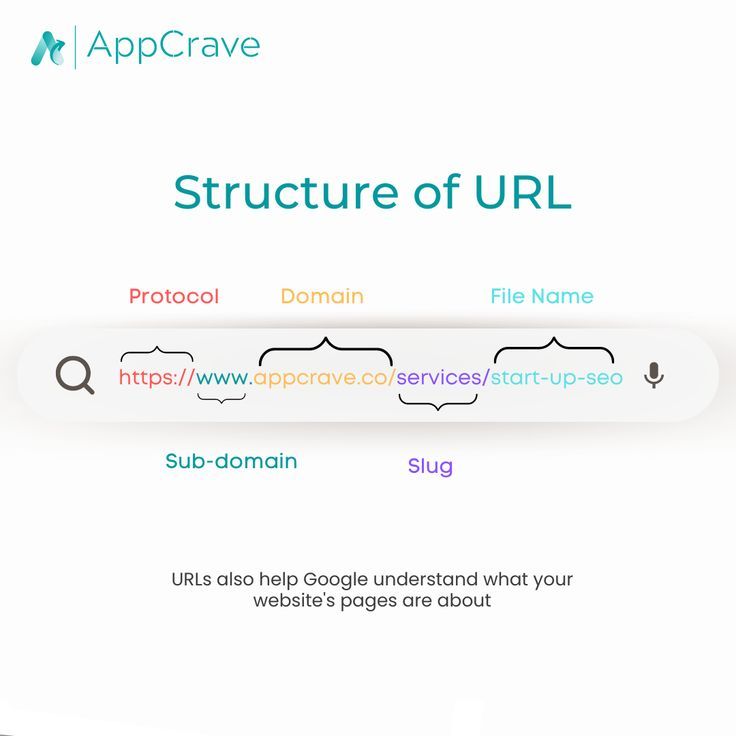
URL means your page link, which is the identity of your page. It should be clear and simple. You should add main keywords, try to avoid numbers and letters and symbols, and use hyphens(-) instead of spaces, and your URL should be easy to read because it matters in your website optimisation. Here the examples of good and bad URLs
Bad URL: mypage.in/p123456xyz❌
Good URL: mypage.in/digital-marketing-tips ✅
Heading structure (H1,H2,H3)
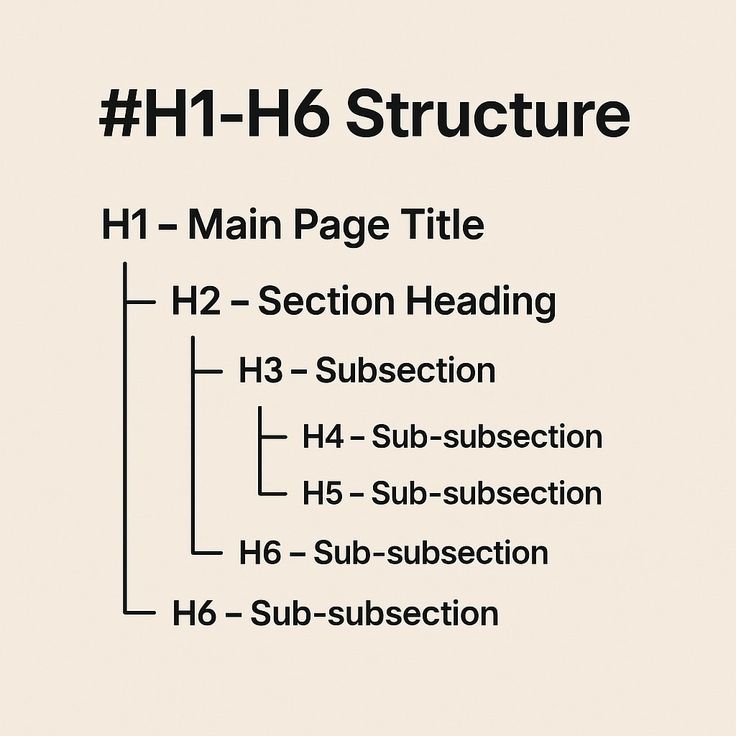
Google uses headings to understand your content. Here are the types of headings that exist in your platform
- H1 – Only one time (main title)
- H2 – Subheadings
- H3 – Sub-points under H2
- Keywords should be shown naturally in headings.
Let’s understand with examples, like I want to make a blog on on-page SEO, so H1 should be (On-page SEO guide), and H2 should be (Why On-page SEO is important ), and H3 should be( Benefits of on-page SEO)
Keyword placement
You can try to place your keywords in a strategic position, like first. You have to research keywords from Google Keyword Planner, and you should know how to research keywords on Google Keyword Planner. And after this activity, could you make sure to finalise your keyword according to your content? You will have to finalise those keywords that are trending and then place those trending keywords in your content. Remember, try to smartly place your keywords, don’t put irrelevant keywords, and you should not repeat one specific keyword again and again. Try to finalise at least 10 best keywords for your website.
Image Optimization
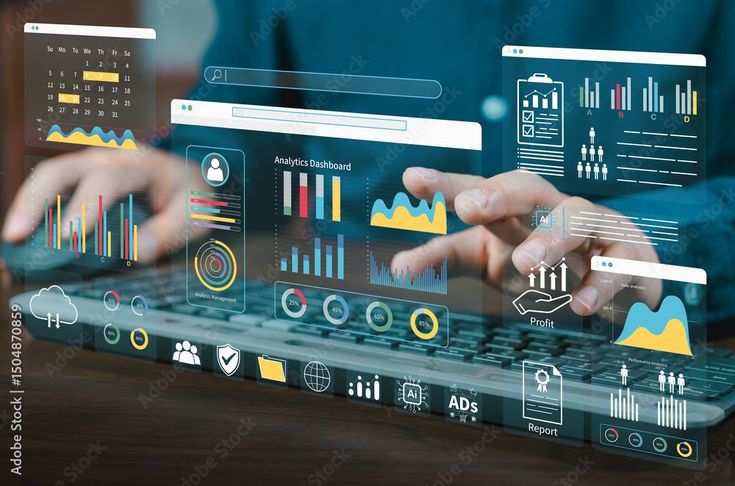
Remember this thing, Google use images for search results as well, so try to optimise images smartly and try to use the best and creative images after research
How to optimise an image
- Use compressed images (Web recommended)
- Add Alt text with keywords
- Use descriptive file names
Internal linking

Internal linking means when you give a link your another page in your content, like if you are writing a content on SEO (search engine optimisation ), so if you have another blog on( on-page SEO ) so you can link that page from your page, this is called internal linking if you give internal linking on your content so it can increase traffic on your other pages also so it is a very thing to get crowd from users site
External Linking
It is the opposite of internal linking. i this case you will give link from any other website or page like if you write blog on health tips and this content if you write according to WHO “world health organisation” these 5things are very beneficial for our health so this is called external link means link from outsider page and in this text you can add WHO that page link for your proof also and it can make your website trustworthy if you want full knowledge on external link click on this text
Mobile-friendly design
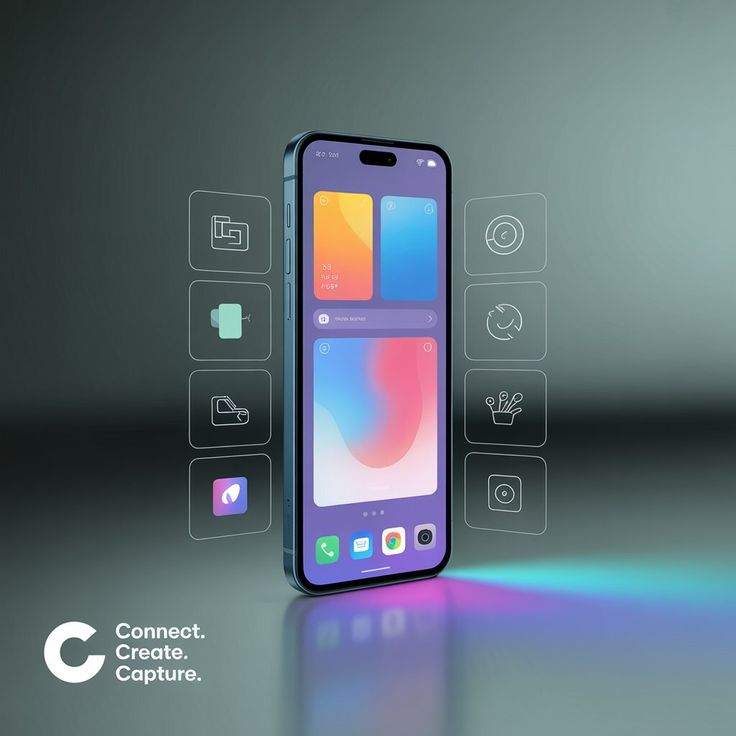
A mobile-friendly website means a website that looks good, works smoothly, and users can use easily on a mobile phone because nowadays people are using mobile phones more than desktops or tablets, so if you want traffic on your website, your website should be mobile-friendly because it plays a very important Role to get traffic from mobiles
Why mobile-friendly design is important
- Most people use a mobile phone compared to other gadgets
- Mobile-friendly websites can rank easily on search engines
- It looks better and increases sales and leads
Page speed optimisation
It is basically the speed of your page, like how much time your website takes to load. It’s called your website speed. So, now a question comes: why is it important? So, we will try to understand with a suitable example. When a user opens a website, they expect it to load quickly. If pages take too long to load so because of these troubles, most users leave your website before loading because they feel irritated, and it can major impact on your ranking, so that’s why optimise your website speed. Also, you can check your website speed by using this website[Google Page Speed Insight]
User Experience(UX)
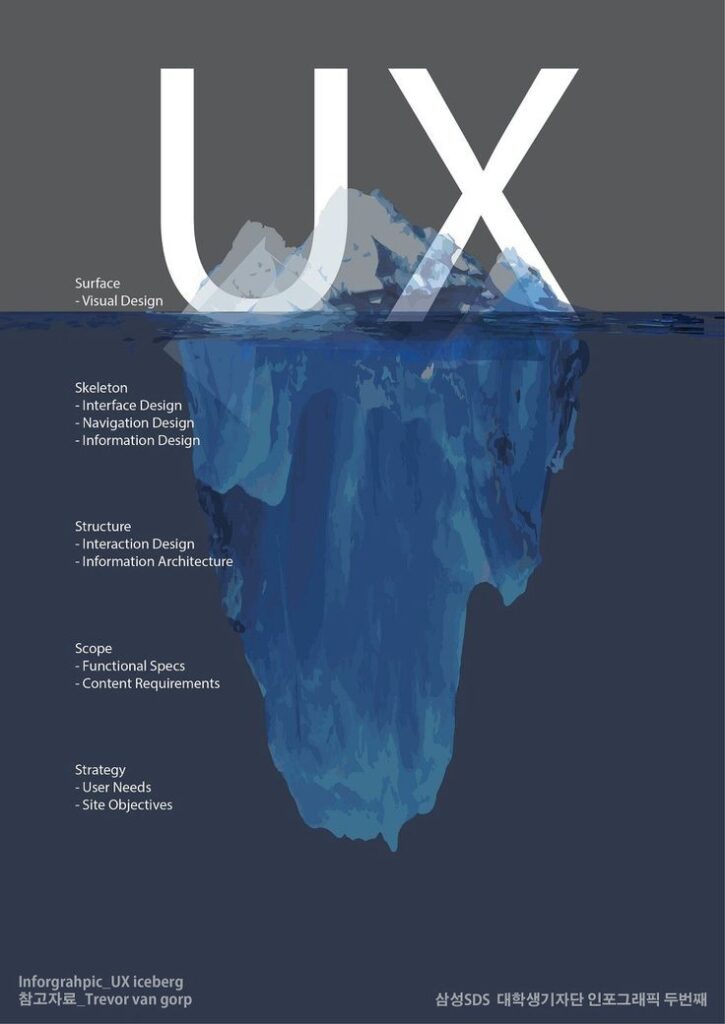
User experience basically is the experience of the user after visiting your website. If users are getting satisfaction after visiting and they are getting relevant content, whatever they want, so you can say this is called good user experience from your website, just like when we visit to buy new clothes from any shop and we get the best clothes at a reasonable price, basically we are satisfied with that product so definitely we will visit again on this shop and that shop will get trust from customers site so similar happens on your website if user is getting best experience by your website, application and product so definitely your website or app will be a trustworthy and it can rank easily on SERP and google values content that keeps users engaged easy navigation, Clean layouts, Short paragraphs, bullet points and visuals
Schema Markup
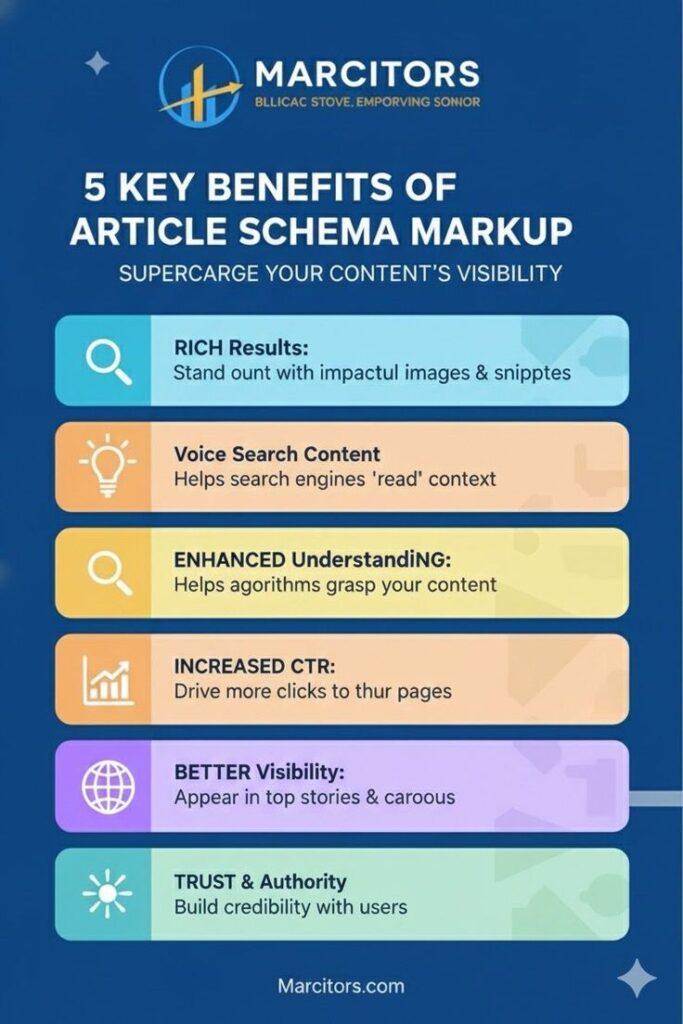
Schema Markup is a small piece of code added to a website to help search engines understand the content in better way it works like a label or tag that tells to google what that page is about
without schema sees like this- “check biryani recipe time:30 minutes
but with Schema ,googles sees text like this👇
- it is a recipe
- Cooking time is 30 minutes
- it has ratings
- ingredients are included
- It belongs in the food category